Self-hosted n8n Community Edition can coordinate API checks, test-data setup, result collection, and notifications without requiring a paid n8n plan. n8n’s current documentation describes the Community edition as the free self-hosted option with most core features. The infrastructure, updates, backups, and security remain the operator’s responsibility.
A reliable QA workflow needs more than a successful path. It needs explicit input rules, controlled recovery, duplicate protection, and evidence that explains what happened. The architecture in this article is a recommended QA design—not a claim that n8n prescribes one universal pattern:
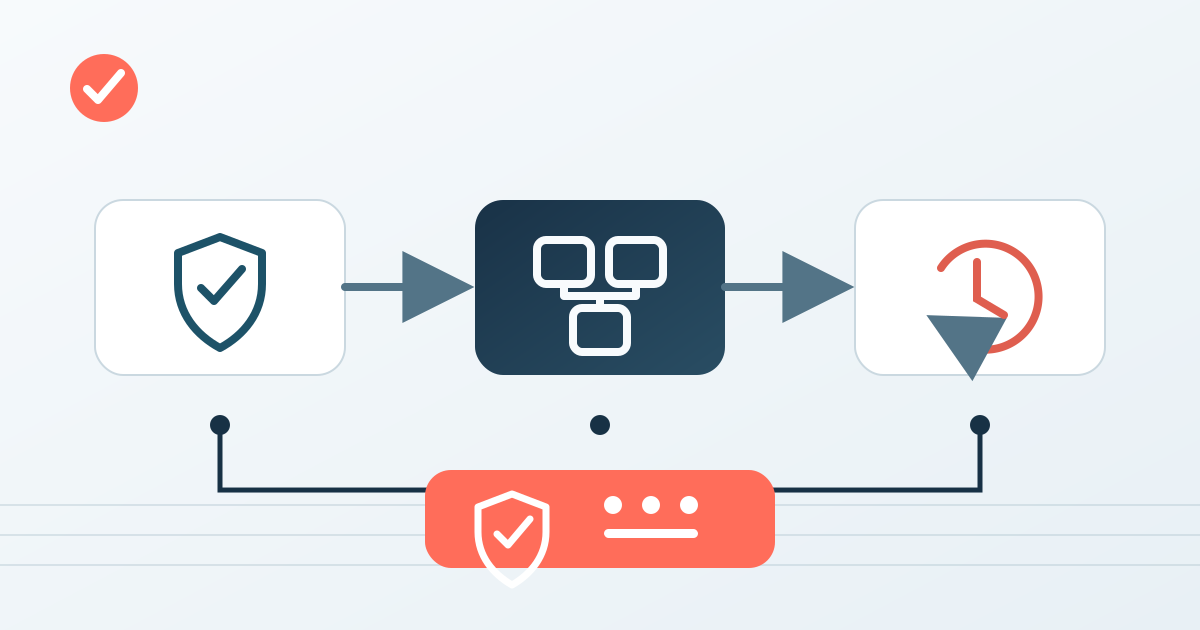
Validation → Local Error Handling → Global Error Workflow
1. The architecture at a glance
Trigger
  ↓
Validate required fields and allowed values
  ├─ invalid → Stop And Error
  ↓
Check idempotency key
  ├─ already processed → return duplicate/skip result
  ↓
Execute Sub-workflow
  ├─ transient failure → bounded retry
  ├─ noncritical failure → log and continue
  └─ critical failure → Stop And Error
  ↓
Collect structured result and evidence

Any unhandled execution failure
  ↓
Error Trigger workflow
  ↓
Classify → record → notify
Validation protects external systems from malformed requests. Local handling addresses failures whose meaning is known at the failing step. A separate error workflow provides a final safety net for failed automatic executions.
2. Define the input contract before adding nodes
The child workflow starts with Execute Sub-workflow Trigger, also shown in the editor as When Executed by Another Workflow. n8n supports three input modes: defined fields, a JSON example, or accepting all data. For a QA orchestration workflow, explicit fields are easier to verify than “accept all data.”
A minimal request might look like this:
{
  "runId": "run-2026-10-07-001",
  "testId": "create-user-contract",
  "environment": "staging",
  "idempotencyKey": "run-2026-10-07-001:create-user-contract",
  "parameters": {
    "role": "tester"
  }
}
The parent should check:
runId,testId,environment, andidempotencyKeyexist and have the expected type;environmentis from an allowlist such asstagingortest;- the payload contains no credentials;
- the requested operation is permitted for that environment;
- values are within practical size and count limits.
An If node can route valid and invalid items. A Code node may be useful for more complex validation, but its output and failure behavior should be tested like any other code. For a critical invalid request, Stop And Error can fail the execution with a custom message or error object. n8n documents that this node can deliberately fail an execution and pass custom error information to an error workflow.
3. Split responsibilities with sub-workflows
The parent uses Execute Sub-workflow to call a reusable workflow. The official node documentation supports loading a child workflow from the database, a local file, a parameter, or a URL. For a maintained production setup, selecting a saved workflow by ID makes the dependency explicit.
The node provides two execution modes:
| Mode | Appropriate use |
|---|---|
| Run once with all items | The child must validate or process one coherent batch. |
| Run once for each item | Every test case needs isolated input, result, and failure evidence. |
It also provides Wait for Sub-Workflow Completion. Enable it when the parent must make a decision from the child’s final result. Disable it only when fire-and-forget behavior is intentional and independently observable.
The child returns the output of its last node to the calling workflow. Treat that output as a contract. A useful result includes runId, testId, status, timestamps, evidence references, and a normalized error classification.
4. Handle failures locally only when their meaning is known
Local handling should be deliberate, not a blanket “continue on every error.”
- Transient external failure: retry only when repeating the operation is safe. Examples include a timeout or a temporary 5xx response.
- Rate limiting: respect provider guidance such as
Retry-Afterwhen available. - Permanent request failure: do not retry a rejected schema or an unauthorized operation.
- Noncritical enrichment failure: log it, mark the result incomplete, and continue if the core test remains valid.
- Assertion or safety failure: stop the workflow and preserve the evidence.
Where a node exposes retry settings, use a small bounded attempt count and a delay. Do not invent a universal number: the safe value depends on the API, operation, and time budget. Retrying a non-idempotent write can create duplicate data, so retry policy and idempotency must be designed together.
n8n node settings also support different error behaviors. Use continuation only when downstream nodes can correctly interpret the resulting item. A green workflow that silently lost a critical assertion is worse than a visible failure.
5. Make retries idempotent and duplicate-safe
An idempotencyKey is an application-level design, not an automatic guarantee from n8n. Before a side effect, query a durable store for that key:
- If the key is absent, create a “started” record.
- Perform the operation.
- Store the final status and evidence.
- If the same key appears again, return the saved result or a clear duplicate status.
The check and reservation must be atomic enough for the expected concurrency. A simple “read, then write” sequence can still race when two executions start together. Test simultaneous duplicate requests rather than only sequential duplicates.
Use a key derived from stable business identity, not the current timestamp alone. Never use credentials, personal data, or complete request bodies as the key.
6. Add a global error workflow
n8n allows a workflow to select an Error workflow in its settings. That workflow must start with Error Trigger. The same error workflow can be assigned to multiple workflows.
The Error Trigger receives context including the failed workflow and error details; execution ID and URL depend on whether execution data was saved and where the failure occurred. One important limitation from the official documentation: Error Trigger does not run when testing a workflow manually. It runs for failed automatic executions. Therefore, test the global path with a safe automatically triggered scenario in a nonproduction environment.
A global handler should:
- normalize workflow name, execution reference, last node, message, and timestamp;
- redact secrets and unnecessary payload data;
- classify severity;
- write a durable incident record;
- send one concise notification;
- avoid recursively calling the same failing path.
The global workflow is not a substitute for local context. It is the last layer for failures that were not intentionally converted into a valid business result.
7. Failure classification
| Class | Example | Local action | Global result |
|---|---|---|---|
| Invalid input | Missing testId | Stop And Error | Record as validation failure |
| Transient dependency | Timeout or temporary 5xx | Bounded retry if safe | Escalate after attempts are exhausted |
| Permanent dependency | Unauthorized request or schema rejection | No retry; fail with evidence | Notify owner |
| Noncritical step | Optional report enrichment unavailable | Log, mark incomplete, continue | Usually no urgent alert |
| Test assertion | Contract or state mismatch | Fail and preserve evidence | Notify according to test criticality |
| Unexpected system error | Misconfiguration or node exception | Do not hide | Global error workflow |
These rules should be encoded as data where possible: class, severity, retryable, attempt, and evidenceUrl. This makes later reporting and automated decisions testable.
8. Output contract and evidence
A child workflow can return a normalized result such as:
{
  "runId": "run-2026-10-07-001",
  "testId": "create-user-contract",
  "status": "failed",
  "classification": "assertion",
  "retryable": false,
  "attempt": 1,
  "startedAt": "2026-10-07T05:00:00Z",
  "finishedAt": "2026-10-07T05:00:04Z",
  "evidence": {
    "httpStatus": 201,
    "schemaValid": false,
    "artifactRef": "qa-artifact-001"
  }
}
Keep secrets out of logs and output. Store only the minimum response data required to explain the result. If evidence is kept elsewhere, return a stable reference with appropriate access control.
9. QA scenarios for the workflow
- Validation: omit each required field in turn and verify no external call occurs.
- Boundary: send the largest permitted batch and one item above the limit.
- Transient retry: make a safe stub return a temporary failure, then success; verify attempts and evidence.
- Permanent failure: return a nonretryable response and confirm there is no retry loop.
- Duplicate: submit the same idempotency key sequentially and concurrently.
- Partial result: fail a noncritical enrichment step and verify the incomplete status is visible.
- Child failure: force the sub-workflow to fail and verify the parent does not report success.
- Global handler: trigger a safe automatic failure and verify exactly one incident record and notification.
- Redaction: place a fake secret in test input and confirm it is absent from stored logs and notifications.
- Recovery: retry a failed execution and confirm that completed side effects are not repeated.
10. Where automation helps
Automation is strongest at repetitive evidence collection: validating a stable contract, calling known APIs, checking response shape, recording timestamps, and routing failures. Human judgment remains necessary for deciding which failures are critical, whether retries are safe, how long evidence may be retained, and whether the workflow’s result actually supports a release decision.
The modular design also makes change safer. A shared sub-workflow can be tested through its input and output contract before callers switch to the new version. The parent remains focused on orchestration rather than duplicating low-level logic.
11. Review checklist
- Are required fields and allowed values explicit?
- Can invalid input reach an external system?
- Does every retryable operation have an idempotency strategy?
- Are attempts bounded and observable?
- Can a noncritical failure be distinguished from success?
- Does the child return a stable result contract?
- Are secrets excluded from payloads, logs, and notifications?
- Is the global handler assigned in workflow settings?
- Was Error Trigger tested through an automatic, nonproduction execution?
- Can a duplicate or concurrent request repeat a side effect?
12. Five reviewer questions
- Which failures are safe to retry, and what evidence supports that decision?
- What prevents two executions with the same business identity from producing duplicate side effects?
- When should the parent wait for sub-workflow completion?
- Which failures may continue locally, and how are they kept visible?
- How is the global error workflow tested given that Error Trigger does not run during manual workflow testing?
Conclusion
Reliable n8n QA automation comes from explicit contracts and testable failure behavior. Validate before side effects, isolate reusable work behind sub-workflow inputs and outputs, retry only safe transient operations, and let a dedicated Error Trigger workflow capture unhandled automatic-execution failures. The result is a workflow that can explain not only that it ran, but what it proved.
Leave a comment
Share your thoughts about the article. No account is required.
Comments
Loading comments…