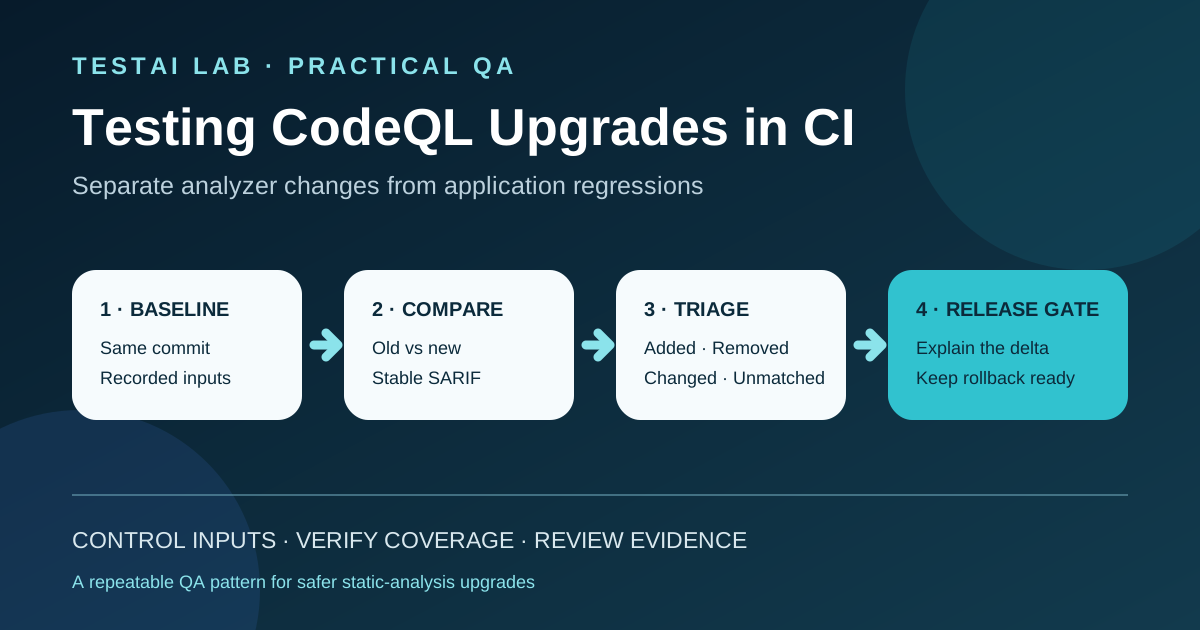
How to upgrade a static-analysis engine without mistaking analyzer changes for application regressions.
1. The real risk in a CodeQL upgrade
A CodeQL release can add queries, improve data-flow models, support new language versions, or reduce false positives. CodeQL 2.27.1, for example, added C/C++ and C# queries, Kotlin 2.4.20 support, and several accuracy improvements.[1]
That means the alert set can change even when the application commit does not. An added alert may expose a real issue that the old analyzer missed, but it may also be a false positive caused by a changed model. A removed alert may represent a corrected false positive, or it may reveal lost coverage.
The safe question is therefore not “Did the number of alerts change?” It is:
> Can we explain every material delta between the old and new analysis, while keeping the source revision, build inputs, query scope, and review rules controlled?
This article uses a practical pattern:
Baseline → Parallel comparison → Delta triage → Release gate
2. Define the upgrade contract
Before running anything, write down the controlled inputs and the evidence expected from the comparison.
| Contract item | What must be recorded |
|---|---|
| Source | Repository and exact commit SHA |
| Environment | Runner image, architecture, relevant compiler or runtime versions |
| Build mode | None, autobuild, or manual build |
| Tooling | CodeQL bundle or Action version |
| Query scope | Default, security-extended, security-and-quality, or named custom packs |
| Configuration | CodeQL config file and exclusions |
| Output | SARIF files, workflow logs, database diagnostics, and delta report |
| Decision owner | Person or team that accepts, defers, or blocks each material delta |
GitHub recommends the CodeQL bundle because it contains a compatible CLI plus the standard query and library packs.[2][3] Treat that bundle, the workflow configuration, and any custom packs as one versioned test asset.
3. Build a reproducible baseline
Choose a known-good commit and save its SHA. Run the current production configuration on that exact revision and retain:
- the workflow run URL;
- the CodeQL Action or bundle version;
- the selected languages and query suites;
- the build mode and build command, when a manual build is used;
- the generated SARIF result;
- database diagnostics and relevant extraction logs;
- the final alert counts grouped by rule, severity, and language.
For compiled languages, the database creation method matters. GitHub supports different build modes, and the appropriate mode depends on the language and project.[4] If the current production setup uses a manual build, use the same build command and dependencies for the comparison. Otherwise, a build difference can look like an analyzer difference.
A baseline is not merely “last week’s alert count.” It is a traceable package that another engineer can reproduce.
4. Compare old and new analysis on the same code
Create a temporary upgrade branch or an isolated comparison workflow. Both lanes must analyze the same commit:
                         ┌─ Current CodeQL configuration ─→ old.sarif
same commit + same inputs
                         └─ Candidate CodeQL configuration → new.sarif
Keep these inputs identical unless they are the explicit subject of the test:
- commit SHA;
- checkout depth and submodules;
- operating system and architecture;
- dependency lock files;
- build command and environment variables;
- generated-code policy;
- paths ignored by the CodeQL configuration;
- query suites and custom packs.
Change only the candidate component first—for example, the CodeQL bundle version. If the Action version and the query scope also need changes, test them in separate steps. This makes the cause of each delta easier to identify.
For GitHub Actions advanced setup, use a currently supported major version of github/codeql-action. The project currently recommends v4, while also advising teams that pin a patch version or commit SHA to keep that pin maintained.[5]
A minimal workflow shape is:
- uses: github/codeql-action/init@v4
  with:
    languages: java-kotlin
    queries: security-extended

# Use autobuild or your documented manual build step here.

- uses: github/codeql-action/analyze@v4
  with:
    output: ../results
    upload: never
This is a structural example, not a universal configuration. Use the language matrix, build mode, permissions, and query scope appropriate to the repository.
5. Produce a stable delta
SARIF results contain more than a message and line number. A useful comparison key should prefer stable identifiers such as:
- rule ID;
- result fingerprints or partial fingerprints when available;
- normalized artifact URI;
- logical location;
- region as a fallback, not the only identity;
- security severity and result level.
A compact report might look like this:
| Delta | Rule | Location | Old → New | Review result |
|---|---|---|---|---|
| Added | cpp/example-rule | src/net.cpp | none → high | Confirmed issue |
| Removed | java/example-rule | src/db.java | high → none | Query fix verified |
| Changed | actions/example-rule | .github/workflows/ci.yml | medium → high | Expected model update |
| Unmatched | custom rule | moved function | fingerprint changed | Manual correlation required |
Do not rely only on total counts. Five removed alerts and five added alerts produce a net change of zero while representing ten review decisions.
6. Triage every material category
Added findings
For each new result, ask:
- Did the release add or change the relevant query or data-flow model?
- Is the code path genuinely reachable?
- Can a small fixture or test reproduce the reported flow?
- Does the result appear only because extraction coverage improved?
- Is suppression justified, documented, and narrowly scoped?
Removed findings
A removed result needs just as much attention:
- Was the old result a known false positive?
- Did the release notes describe an accuracy fix for this rule?
- Is the relevant file still present in the candidate database?
- Does the old query still report the issue when run against comparable data?
- Was the result hidden by a configuration or query-suite change?
Changed findings
Review changes in severity, path, region, message, or classification. Some are presentation improvements; others can affect policy gates or ownership routing.
Unmatched findings
Fingerprints can change when code moves or analysis models evolve. Keep an “unmatched” category rather than forcing every result into added or removed. A reviewer can then correlate by rule, function, and data-flow path.
7. Verify extraction and configuration coverage
A clean delta is meaningless if the candidate analyzed less code.
Verify at least:
- every expected language job ran;
- database creation completed without extractor failures;
- manual build steps compiled the intended targets;
- source roots and ignored paths did not change accidentally;
- generated code and test code follow the documented policy;
- custom query packs resolved successfully;
- result upload or artifact creation completed;
- warnings in database diagnostics were reviewed.
For a large repository, choose a few known “sentinel” files or deliberately vulnerable test fixtures. Their expected results provide a fast indication that the candidate still analyzes critical paths.
Do not publish real vulnerabilities in public fixtures. Use synthetic examples in a controlled test repository.
8. Protect custom queries
Custom packs are part of the regression surface. Test them independently before accepting the upgrade:
- resolve the exact pack versions;
- run
codeql pack installfrom the pack directory; - compile or test the custom queries;
- execute their query tests where available;
- analyze at least one representative database;
- compare the expected result set with the baseline.
CodeQL packs use semantic version ranges for dependencies, and a lock file records resolved dependencies.[6] Review lock-file changes like any other dependency update. An unexpectedly widened dependency range can make future runs less reproducible.
9. Design release gates by risk
Pull-request gate
Use the candidate lane on a dedicated upgrade pull request.
Block the merge when:
- database creation or analysis fails;
- an expected language or critical path is missing;
- a custom pack no longer resolves or its tests fail;
- a new high-severity result has no owner or triage decision;
- a previously confirmed high-severity result disappears without explanation.
Scheduled comparison
Run the side-by-side job on a schedule while the upgrade is being evaluated. This catches repository changes that expose gaps not present in the first comparison. Keep the same comparison contract and label the resulting reports by commit SHA.
Pre-release gate
Before promoting the candidate configuration:
- re-run the comparison on the release candidate;
- close or explicitly accept every material delta;
- confirm required status checks and permissions;
- archive the report and workflow links;
- record the rollback version and rollback steps;
- obtain the required security or QA sign-off.
Thresholds such as “no more than 2% fewer extracted files” can be useful warning signals, but they are project-specific. Do not present an illustrative threshold as an industry standard.
10. Failure handling and rollback
The comparison workflow must fail safely.
- If one lane fails, mark the comparison inconclusive, not passed.
- If the SARIF parser fails, retain both raw artifacts and stop the gate.
- If the candidate cannot resolve a query pack, do not silently fall back to another version.
- If the build is nondeterministic, repeat both lanes before classifying deltas.
- If a material regression cannot be explained, keep the production analyzer unchanged.
Rollback should restore the previous tested configuration, not merely reduce an alert threshold.
11. QA checklist
Reproducibility
- [ ] Same commit SHA in both lanes
- [ ] Same runner family and architecture
- [ ] Same dependency lock files
- [ ] Same build mode and command
- [ ] Tool and query-pack versions recorded
Coverage
- [ ] Expected language jobs completed
- [ ] Database diagnostics reviewed
- [ ] Sentinel files or fixtures produced expected evidence
- [ ] Ignore paths and generated-code policy unchanged
- [ ] Custom packs resolved and passed their tests
Delta review
- [ ] Added results triaged
- [ ] Removed results triaged
- [ ] Severity and location changes reviewed
- [ ] Unmatched fingerprints investigated
- [ ] False-positive suppressions documented
Release control
- [ ] PR gate passed
- [ ] Scheduled comparison passed on a recent commit
- [ ] Release-candidate comparison archived
- [ ] Decision owner approved the remaining risk
- [ ] Rollback version and steps recorded
12. What automation should—and should not—decide
Automation is excellent at creating comparable databases, normalizing SARIF, calculating deltas, attaching artifacts, and enforcing that required evidence exists.
Automation should not decide that every added alert is a product defect or every removed alert is safe. Those decisions require context: query changes, reachability, exploitability, intended configuration, and the project’s accepted risk.
The final gate should combine machine-checkable contracts with a human-owned triage decision.
Conclusion
A CodeQL upgrade is a change to the test system itself. Test it like any other production dependency: control the inputs, compare old and new behavior on the same code, investigate coverage, validate custom packs, and require explainable evidence before promotion.
With a repeatable Baseline → Parallel comparison → Delta triage → Release gate process, teams can adopt analyzer improvements without hiding real defects or creating avoidable alert noise.
Sources
- GitHub Changelog — CodeQL 2.27.1 adds C and C++ query and Kotlin 2.4.20 support: https://github.blog/changelog/2026-09-25-codeql-2-27-1-adds-c-and-c-query-and-kotlin-2-4-20-support/
- CodeQL documentation — CodeQL tools and the CodeQL bundle: https://codeql.github.com/docs/codeql-overview/codeql-tools/
- CodeQL CLI documentation — Setting up the CodeQL CLI: https://docs.github.com/en/code-security/codeql-cli/getting-started-with-the-codeql-cli/setting-up-the-codeql-cli
- GitHub Docs — CodeQL code scanning for compiled languages: https://docs.github.com/en/code-security/concepts/code-scanning/codeql/codeql-for-compiled-languages
- GitHub — CodeQL Action README and supported versions: https://github.com/github/codeql-action/blob/main/README.md
- CodeQL CLI documentation — Creating and working with CodeQL packs: https://docs.github.com/en/code-security/codeql-cli/using-the-advanced-functionality-of-the-codeql-cli/creating-and-working-with-codeql-packs
Leave a comment
Share your thoughts about the article. No account is required.
Comments
Loading comments…