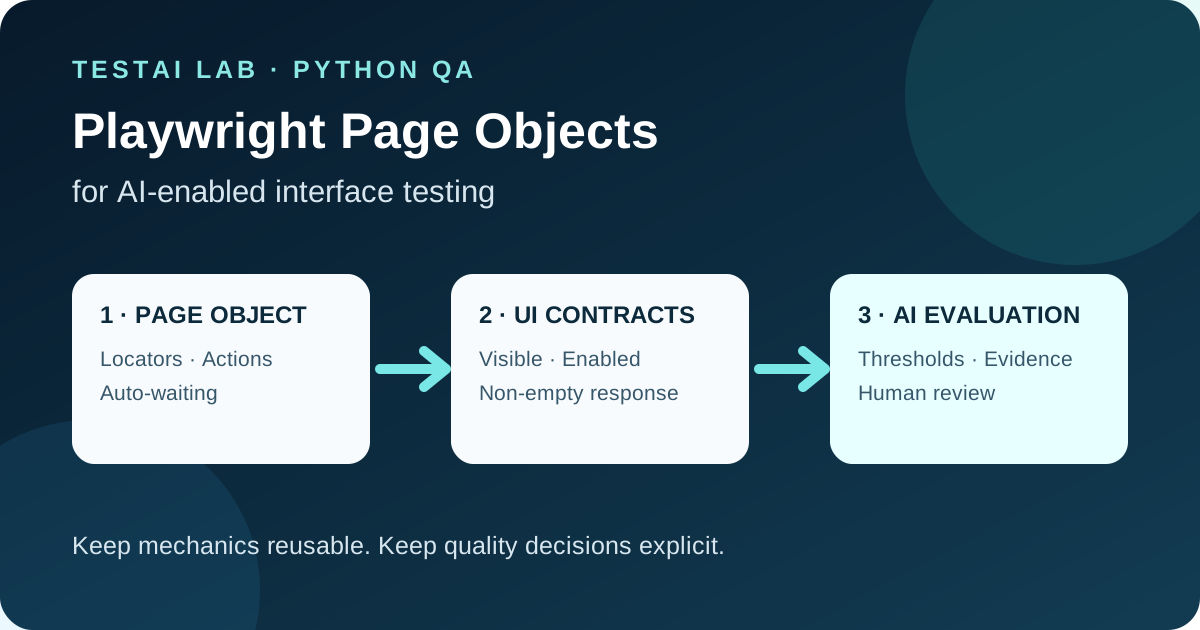
How to keep UI mechanics stable, keep test intent visible, and evaluate probabilistic AI responses without over‑abstracting.
1. Introduction
AI‑enabled web interfaces—chat assistants, code generators, image‑to‑text widgets—combine classic UI elements (buttons, text fields) with nondeterministic back‑end behavior. For QA engineers the challenge is twofold:
- Mechanical stability – locating the input box, clicking “Send”, waiting for the response container to appear.
- Quality of the AI output – the response may vary each run, so the test must express acceptable ranges rather than exact strings.
Playwright’s Page Object Model (POM) is a proven way to isolate the first concern while leaving the second visible in the test code. This article shows a compact, sync‑Python example that follows the official Playwright guidance[^1] and pytest best practices[^2]. The goal is a maintainable test suite that does not hide the probabilistic evaluation behind a “god object”.
2. When Page Objects Add Value (and When They Don’t)
| Situation | Page Object helps | Over‑abstraction risk |
|---|---|---|
| Stable UI mechanics – CSS selectors, navigation steps, waiting for network idle | Centralize locators and reusable actions (e.g., type_message, click_send). Changes to the UI affect only the object. | None – the object mirrors the UI, not the business logic. |
| Deterministic contracts – “Send button must be enabled after typing”, “Response panel must be visible” | Encapsulate the how (auto‑wait, expect) while the what stays in the test. | If the object also contains assertions about AI quality, the test intent becomes hidden. |
| Probabilistic AI evaluation – “Response should contain at least one keyword, confidence > 0.7” | Keep the evaluation in the test (or a thin helper) so reviewers can see thresholds, data‑driven parameters, and human‑owned acceptance criteria. | Embedding these checks inside the page object makes it look like the UI guarantees the quality, which it does not. |
| Cross‑cutting concerns – logging, screenshot on failure, secret handling | Provide small utility methods (e.g., capture_state) that are reusable but do not replace explicit assertions. | A monolithic page object that also drives test flow (setup, teardown, data generation) becomes a “god object” and is hard to maintain. |
Takeaway: Use the page object only for stable, mechanical interactions. Keep deterministic UI contracts and probabilistic AI checks explicit in the test file.
3. Architecture & Data Flow
+-------------------+          +-------------------+          +-------------------+
| pytest session    |          | Playwright Browser|          | AI‑enabled Web UI|
| (fixtures)        |  <--->   | (sync API)        |  <--->   | (chat assistant) |
+-------------------+          +-------------------+          +-------------------+
        |                               |                               |
        | 1. launch_browser()            |                               |
        |------------------------------->|                               |
        |                               |                               |
        | 2. new_page()                  |                               |
        |------------------------------->|                               |
        |                               |                               |
        | 3. ChatPage(page)              |                               |
        |------------------------------->|                               |
        |                               |                               |
        | 4. test_send_and_verify()      |                               |
        |   - page_object actions        |                               |
        |   - deterministic asserts     |                               |
        |   - probabilistic checks       |                               |
        |------------------------------->|                               |
        |                               |   UI actions (type, click)    |
        |                               |   UI waits (expect)           |
        |                               |   AI response (network)       |
        |                               |                               |
        | 5. diagnostics (screenshot,   |                               |
        |    logs) on failure            |                               |
+-------------------------------+-------------------------------+- Inputs – test data (message text, expected keywords), environment variables for secrets (e.g., API keys for a mock AI service).
- Outputs – pass/fail status, optional artifact files (screenshots, console logs), structured result objects for downstream reporting.
4. Core Playwright Page Object (Python, sync API)
# tests/pages/chat_page.py
from pathlib import Path

from playwright.sync_api import Page, expect

class ChatPage:
    """Encapsulates stable UI mechanics of the AI chat assistant."""

    # Stable, human‑readable locators – avoid brittle CSS paths.
    _input_box = "textarea[data-test='chat-input']"
    _send_button = "button[data-test='send-button']"
    _response_panel = "div[data-test='response']"
    _loading_indicator = "div[data-test='loading']"

    def __init__(self, page: Page):
        self.page = page

    # ------------------------------------------------------------------
    # Mechanical actions
    # ------------------------------------------------------------------
    def goto(self, url: str) -> None:
        self.page.goto(url)
        # Web‑first assertion: the chat UI must be ready.
        expect(self.page.locator(self._input_box)).to_be_visible()

    def type_message(self, message: str) -> None:
        self.page.locator(self._input_box).fill(message)

    def click_send(self) -> None:
        # Auto‑wait for the button to become enabled.
        expect(self.page.locator(self._send_button)).to_be_enabled()
        self.page.locator(self._send_button).click()

    def wait_for_response(self, timeout: int = 10_000) -> None:
        # Wait for the UI states that represent completion; no fixed sleep.
        expect(self.page.locator(self._loading_indicator)).to_be_hidden(
            timeout=timeout
        )
        expect(self.page.locator(self._response_panel)).to_be_visible(
            timeout=timeout
        )

    # ------------------------------------------------------------------
    # Helper for diagnostics
    # ------------------------------------------------------------------
    def capture_state(self, name: str) -> None:
        """Take a screenshot and HTML dump for debugging."""
        artifact_dir = Path("artifacts")
        artifact_dir.mkdir(exist_ok=True)
        self.page.screenshot(path=str(artifact_dir / f"{name}.png"), full_page=True)
        (artifact_dir / f"{name}.html").write_text(
            self.page.content(), encoding="utf-8"
        )

    # ------------------------------------------------------------------
    # Expose the raw response text – the test decides how to evaluate it.
    # ------------------------------------------------------------------
    @property
    def response_text(self) -> str:
        return self.page.locator(self._response_panel).inner_text()
All locators are stable data‑attributes; they survive cosmetic CSS changes. No assertions about AI quality live inside the object.
5. Pytest Fixtures & Test File
# tests/conftest.py
import os
import pytest
from playwright.sync_api import sync_playwright

@pytest.fixture(scope="session")
def playwright():
    with sync_playwright() as pw:
        yield pw

@pytest.fixture(scope="session")
def browser(playwright):
    # Headless mode is default; can be overridden via env var.
    headless = os.getenv("HEADLESS", "true").lower() == "true"
    browser = playwright.chromium.launch(headless=headless)
    yield browser
    browser.close()

@pytest.fixture
def page(browser, request):
    context = browser.new_context()
    page = context.new_page()
    yield page
    # Capture diagnostics on failure automatically.
    if request.node.rep_call.failed:
        page.screenshot(path="artifacts/failure.png")
    context.close()
# tests/test_chat_ai.py
import os
import re
import pytest
from tests.pages.chat_page import ChatPage
from playwright.sync_api import expect
# ------------------------------------------------------------------
# Test data – keep it in the test, not hidden in the page object.
# ------------------------------------------------------------------
MESSAGE = "Explain the difference between TCP and UDP."
EXPECTED_KEYWORDS = ["connection‑oriented", "connection‑less", "reliable", "unreliable"]
MIN_CONFIDENCE = 0.7 # Example threshold for a mock confidence field.
def _extract_confidence(text: str) -> float:
"""Parse a confidence score from the AI response, if present."""
match = re.search(r"Confidence:\s*([0-9.]+)", text)
return float(match.group(1)) if match else 0.0
@pytest.mark.usefixtures("page")
def test_chat_ai_response(page):
chat = ChatPage(page)
chat_url = os.environ["CHAT_URL"]
chat.goto(chat_url)
# ---- Mechanical steps -------------------------------------------------
chat.type_message(MESSAGE)
chat.click_send()
chat.wait_for_response()
# ---- Deterministic UI contract ----------------------------------------
# The response panel must contain at least one character.
expect(page.locator(chat._response_panel)).not_to_be_empty()
# ---- Probabilistic AI quality checks ----------------------------------
response = chat.response_text
# 1. Keyword coverage – at least one expected keyword must appear.
keyword_hits = [kw for kw in EXPECTED_KEYWORDS if kw.lower() in response.lower()]
assert keyword_hits, f"Response missing expected keywords: {EXPECTED_KEYWORDS}"
# 2. Confidence threshold – optional, depends on AI service.
confidence = _extract_confidence(response)
assert confidence >= MIN_CONFIDENCE, (
f"Confidence {confidence:.2f} below threshold {MIN_CONFIDENCE}"
)
# ---- Human‑owned acceptance decision -----------------------------------
# If the test reaches this point, QA can manually review the captured
# artifacts (screenshot, HTML) to confirm the answer is appropriate.
# This step is deliberately explicit; it is not hidden inside the page object.Key points illustrated
| Concern | Implementation |
|---|---|
| Auto‑waiting | expect(...).to_be_visible() and to_be_hidden() replace manual sleeps. |
| Web‑first assertions | All UI state checks use Playwright’s expect API, retrying each assertion until it passes or its timeout expires. |
| Error handling & diagnostics | page.screenshot in the fixture captures evidence on failure; the page object also offers capture_state for ad‑hoc debugging. |
| Secret handling | The test reads CHAT_URL from an environment variable; no credentials are hard‑coded. |
| Negative case | If the AI returns an empty string, the deterministic not_to_be_empty assertion fails before probabilistic checks run. |
| Flakiness mitigation | No time.sleep; all waits are bound to UI conditions. The test waits for the response panel after the loading state ends, reducing races on slow networks. |
6. Negative Scenarios & Flakiness Risks
| Scenario | Why it can flake | Mitigation |
|---|---|---|
| Network latency spikes – loading indicator disappears before response is rendered. | UI may hide the spinner early. | Wait for the response panel to be visible and contain non‑empty text. |
| Dynamic element IDs – the AI service injects random IDs into the DOM. | Locators become brittle. | Prefer stable data-test attributes or ARIA roles; avoid absolute XPaths. |
| AI service throttling – occasional 429 responses. | Test may fail intermittently. | Use Playwright’s built‑in request interception to mock the AI endpoint for stability, and keep a separate integration check for real 429 handling; do not retry semantic assertion failures. |
| Locale‑dependent wording – AI returns localized phrases. | Keyword match fails. | Keep the keyword list language‑agnostic or load it from a locale‑specific fixture. |
7. QA Checklist for AI‑Enabled UI Tests
- [ ] Stable locators – data‑attributes, ARIA roles, not generated IDs.
- [ ] Page object limited to mechanics – no AI quality logic inside.
- [ ] Deterministic UI contracts – use Playwright
expectfor visibility, enablement, emptiness. - [ ] Probabilistic checks are explicit – thresholds, keyword lists, confidence extraction live in the test.
- [ ] No hard sleeps – rely on auto‑waiting.
- [ ] Diagnostic artifacts – screenshots, HTML dumps on failure.
- [ ] Secrets & URLs – sourced from environment variables or CI secret stores.
- [ ] Negative path coverage – empty response, error messages, throttling.
- [ ] Flakiness guardrails – network stubbing, retry logic, timeout tuning.
- [ ] Human acceptance step – a clear comment or checkpoint reminding reviewers to validate AI answers manually.
8. Where Automation Helps
- Mechanical regression – locating elements, clicking, waiting for network idle are repetitive and error‑prone when done manually.
- Contract verification – confirming that the UI respects its deterministic contract (e.g., “Send” button disabled until input is non‑empty).
- Baseline quality metrics – automated keyword coverage or confidence‑score thresholds give a quick health signal for the AI model.
- Evidence collection – screenshots and HTML snapshots provide traceability for later manual review or for debugging flaky runs.
Automation does not replace the need for a domain expert to read the AI answer and decide whether it meets business expectations. That judgment stays in the test (or a downstream manual review) and is never hidden behind a page object.
9. Review Questions
- What responsibilities belong inside a Playwright page object for an AI‑enabled UI?
- Why should probabilistic AI quality checks stay in the test file rather than the page object?
- How does Playwright’s
expectAPI help avoid flaky sleeps? - Name two flakiness risks specific to AI chat interfaces and one mitigation for each.
- What is the purpose of capturing a screenshot in a pytest fixture on failure?
10. Conclusion
Testing AI‑enabled web interfaces demands a clear separation between stable UI mechanics and probabilistic output evaluation. By confining only the former to a Playwright Page Object, you gain maintainable locators, reusable actions, and reliable auto‑waiting. Keeping deterministic assertions and AI‑quality thresholds explicit in the test preserves readability, facilitates peer review, and ensures that human judgment remains the final gatekeeper. With the patterns shown here—pytest fixtures, environment‑driven configuration, and disciplined diagnostics—you can build a robust test suite that scales as the AI model evolves without drowning in brittle abstractions.
Sources
[^1]: Playwright Python: Page Object Model. [^2]: pytest: fixtures. [^3]: Python standard library: re.
Leave a comment
Share your thoughts about the article. No account is required.
Comments
Loading comments…