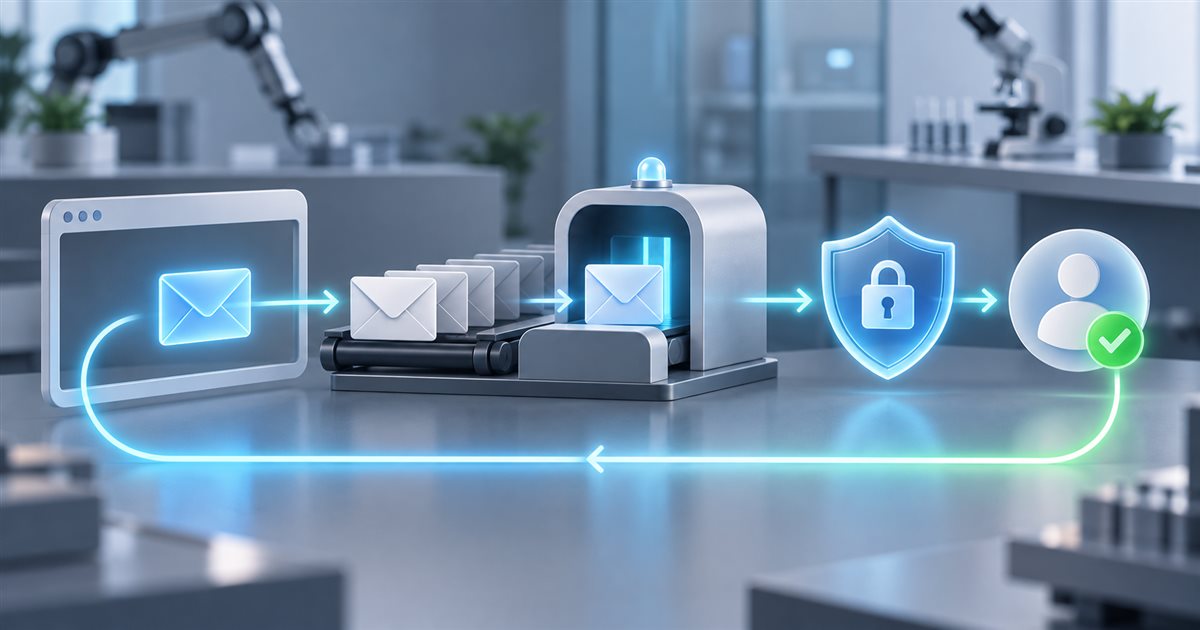
How to turn an asynchronous “click‑link‑in‑email” flow into a deterministic, CI‑ready test suite that still respects the human‑centred nature of quality assurance.
1. Why Email Verification is a QA Hotspot
Email‑based activation (signup links, password‑reset OTPs, two‑factor codes) sits at the intersection of three independent systems:
| Layer | Typical responsibility |
|---|---|
| Browser UI | User fills a form, clicks Send verification. |
| Backend | Generates a token, stores it, dispatches an email via an SMTP service. |
| Mailbox provider | Receives the message, makes it available through an API (e.g., MailSlurp, Mailosaur, Restmail). |
A failure in any layer can break the whole user journey, yet the three layers are often tested in isolation. Mocking the email service hides delivery latency, formatting bugs, or token‑generation errors. For a QA team that must guarantee that a real user can complete the flow, an end‑to‑end (E2E) test that traverses all three layers is indispensable.
Playwright already offers a powerful combination of browser automation and a built‑in request fixture for HTTP calls, making it a natural fit for this pattern. The challenge is not the tooling but the asynchronous boundary: the test must wait for a message that may arrive seconds later, while keeping the suite fast, reliable, and parallel‑safe.
2. Core Design Pattern
The pattern can be broken down into six reusable responsibilities that together give a deterministic test:
- Create a disposable, unique inbox – guarantees isolation between parallel workers.
- Trigger the email‑sending action in the browser (or via an API).
- Poll the mailbox API with a bounded timeout – deterministic waiting instead of
sleep. - Correlate the received message to the test instance (subject, recipient, timestamp).
- Extract the verification token (link or OTP) safely, validate its format, and guard against replay.
- Complete the verification step in the browser and assert the final account state.
Each responsibility can be encapsulated in a small helper module, allowing the same code to be reused across happy‑path, negative, and security‑focused scenarios.
3. Step‑by‑Step Implementation
Below is a practical walkthrough that can be copied into a Playwright test suite. The example uses MailSlurp, but any API‑driven temporary mailbox (Mailosaur, Restmail, etc.) works the same way.
3.1. Generate a Unique Inbox
import { test, expect, request } from '@playwright/test';
import MailSlurp from 'mailslurp-client';

test.describe('Email verification flow', () => {
  let inboxId: string;
  let emailAddress: string;
  const ms = new MailSlurp({ apiKey: process.env.MAILSLURP_API_KEY! });

  test.beforeEach(async () => {
    const inbox = await ms.createInbox();          // disposable inbox
    inboxId = inbox.id;
    emailAddress = inbox.emailAddress;
  });

  test.afterEach(async () => {
    await ms.deleteInbox(inboxId);                 // clean up even on failure
  });
Why it matters: A fresh inbox eliminates collisions when the suite runs in parallel on CI agents. The inbox ID is also a natural correlation key for later polling.
3.2. Perform the UI Action
  test('user can activate account via email link', async ({ page }) => {
    await page.goto('https://app.example.com/signup');
    await page.fill('[name="email"]', emailAddress);
    await page.fill('[name="username"]', `user_${inboxId}`);
    await page.fill('[name="password"]', 'Password123!');
    await page.click('button[type=submit]');
The test now mirrors what a real user does. No mocking of the email service is involved; the backend will attempt to send a real message to the temporary address.
3.3. Deterministic Polling
    const timeoutMs = 30_000;                     // generous but bounded
    const start = Date.now();

    let email;
    while (Date.now() - start < timeoutMs) {
      const emails = await ms.getEmails(inboxId, { limit: 1, unreadOnly: true });
      if (emails.length) {
        email = emails[0];
        break;
      }
      await new Promise(r => setTimeout(r, 1_000)); // 1‑second back‑off
    }

    expect(email).toBeDefined();                  // fail fast if not delivered
Deterministic vs. fixed sleep: Rather than a hard await page.waitForTimeout(5000), the loop checks the mailbox every second until the message appears or the timeout expires. This approach adapts to network latency and keeps the test as fast as possible when the email arrives early.
3.4. Correlate the Message
    // Basic correlation checks – can be extended with sender or custom headers
    expect(email!.subject).toContain('Verify your account');
    expect(email!.to).toBe(emailAddress);
Correlation prevents a stray message from a previous run from being used accidentally. Adding a unique identifier (e.g., a UUID embedded in the signup request) to the email body gives an even stronger guarantee.
3.5. Safe Token Extraction
    const linkMatch = email!.body?.match(/https:\/\/app\.example\.com\/activate\?token=[A-Za-z0-9_-]+/);
    expect(linkMatch).not.toBeNull();
    const activationLink = linkMatch![0];
The regular expression validates that the extracted string looks like a proper activation URL. If the flow uses an OTP instead of a link, a similar pattern (\b\d{6}\b) can be applied.
3.6. Complete Verification and Assert
    await page.goto(activationLink);
    await expect(page).toHaveURL(/.*\/dashboard/);
    await expect(page.locator('text=Welcome')).toBeVisible();
  });
});
At this point the test has traversed UI → Backend → Mailbox → UI and verified the final state. The same pattern can be reused for password‑reset, email change confirmation, or any flow that relies on a token delivered by email.
4. Extending the Pattern for Edge Cases
4.1. Expiration Checks
Test idea: After extracting the token, deliberately wait past the configured expiry (e.g., 10 minutes) before using it. The UI should display an “expired link” error. The same polling logic can be reused, only the wait time changes.
4.2. Replay Protection
Test idea: Use the same activation link twice. The first visit should succeed; the second should be rejected with a “already used” message. This validates that the backend invalidates the token after consumption.
4.3. Negative Scenarios
Wrong recipient: Send the signup request to a deliberately malformed address and assert that no email arrives within the timeout. Invalid token: Manipulate a single character in the extracted URL and verify that the server returns a 400/invalid‑token response.
These scenarios are essential for security‑focused QA and can be expressed with the same helper utilities.
5. Parallel Execution and CI Evidence
When the suite runs on a CI platform (GitHub Actions, Azure Pipelines, etc.) it typically spawns many workers. The unique inbox per test eliminates cross‑test interference. Additionally:
| CI Concern | How the pattern addresses it |
|---|---|
| Flaky timing | Bounded polling with a configurable timeout; logs include the actual wait duration. |
| Evidence | Store the raw email payload as an artifact (ms.getEmailRaw(email.id)) so reviewers can see exactly what was sent. |
| Resource cleanup | afterEach deletes the inbox, preventing quota exhaustion on the mailbox service. |
| Speed | Only a few “happy‑path” activation tests need full email verification; other registration tests can rely on lower‑level API checks, as suggested by community best practices. |
6. Bringing AI Agents into the Loop
Modern products increasingly embed AI agents that can trigger email actions (e.g., “Ask my assistant to reset my password”). Testing such interactions adds two dimensions:
- Prompt → Action mapping – Does the AI correctly translate a natural‑language request into the backend API call that sends the email?
- Result verification – Is the email content consistent with the AI’s intent (e.g., includes the correct user name)?
6.1. Practical Example
test('AI can request a password reset', async ({ page }) => {
  // 1. Log in and open the chat widget
  await page.goto('https://app.example.com');
  await page.fill('#chat-input', 'Reset my password, please');
  await page.press('#chat-input', 'Enter');

  // 2. Wait for the AI’s confirmation message
  await expect(page.locator('.chat-bubble')).toContainText('I have sent a reset link to');

  // 3. Extract the email address mentioned by the AI (if any) or use the test user’s address
  const targetEmail = emailAddress; // from the disposable inbox created earlier

  // 4. Follow the same polling/extraction steps as before
  // ... (reuse the helper functions)
});
The same poll‑extract‑verify workflow validates that the AI’s natural‑language handling ultimately results in a correct email. Because the AI may introduce nondeterministic phrasing, the test should focus on observable outcomes (email receipt, token validity) rather than the exact chat transcript.
7. Five Concrete Questions QA Should Ask When Evaluating an AI Agent
- Intent Coverage – Does the agent reliably recognise all required intents (e.g., “reset password”, “change email”) across variations in phrasing and user language?
- Error Handling – How does the agent respond when the backend email service fails or returns an unexpected error?
- Security Auditing – Does the agent ever expose sensitive data (tokens, usernames) in its chat output, and are such exposures prevented by design?
- State Consistency – After the agent triggers an email, does the system correctly mark the request as pending, and does it handle duplicate requests gracefully?
- Observability – Are the AI‑generated actions logged in a way that a tester can trace from the user utterance to the outbound email (e.g., correlation IDs)?
Answering these questions with a mix of manual exploratory sessions and the automated pattern above gives a balanced view of the AI’s reliability.
8. Where Automation Helps
Automation is not a replacement for human judgement, but it excels at:
| Area | Automation advantage |
|---|---|
| Regression | Re‑run the full UI → mailbox flow on every commit, catching regressions early. |
| Performance bounds | Measure the time from UI click to email receipt; flag deviations beyond a threshold. |
| Security checks | Systematically attempt replay, tampering, or expired‑token scenarios that would be tedious to perform manually. |
| Data collection | Capture raw email payloads, HTTP traces, and browser logs for later forensic analysis. |
| Parallel execution | Scale the same test across many browsers and configurations without extra manual effort. |
The key is to pair these automated checks with exploratory sessions that probe the AI’s conversational nuances, UI accessibility, and real‑world user experience.
9. Human‑Centred Test Design & Risk Analysis
Even with a robust automated scaffold, QA must still:
- Validate the test data – Ensure that the disposable inbox domain is not blocked by spam filters used in production.
- Review email content – A human should confirm that the message complies with branding, language, and legal requirements (e.g., GDPR footers).
- Assess timing risk – In production, email delivery can be delayed by external factors; the test’s timeout should reflect the worst‑case acceptable user experience, not just the fastest CI run.
- Consider cross‑regional behavior – Some email providers treat messages differently based on the sender’s IP; a manual test from a different region can uncover hidden issues.
By treating the automated flow as a baseline and layering manual exploratory work on top, teams achieve both speed and depth.
10. Conclusion
Testing email verification end‑to‑end is a classic QA challenge because it spans UI, backend, and an external mailbox service. With Playwright’s browser automation and its native HTTP request fixture, the pattern of unique disposable inbox → deterministic polling → safe token extraction → verification becomes both repeatable and CI‑friendly. Extending the same workflow to AI agents that trigger email actions preserves the same level of confidence while exposing new dimensions of risk that only human exploration can fully assess.
By combining deterministic automation with thoughtful manual testing, QA teams can deliver reliable activation experiences, protect against security regressions, and keep the feedback loop tight enough for modern, fast‑moving development pipelines.
Sources
- Original article: “How to Test Email Verification Flows with Playwright” – DEV Community. https://dev.to/alaeddine_rihane_8dec187a/how-to-test-email-verification-flows-with-playwright-4b7b
- Playwright testing documentation. https://playwright.dev/docs/api-testing
- End‑to‑End Testing Beyond the Browser: Email Verification with Playwright – DEV Community. https://dev.to/dsheiko/end-to-end-testing-beyond-the-browser-email-verification-with-playwright-3995
- Playwright Email Testing: Verify Notifications End‑to‑End – TestDino. https://testdino.com/blog/playwright-email-testing
- Playwright email testing and email verification – MailSlurp blog. https://www.mailslurp.com/blog/playwright-email-testing
- Automate Email Verification Testing with Playwright, Cypress & Selenium – I Love TempMail. https://ilovetempmail.com/blog/automate-email-verification-testing
Leave a comment
Share your thoughts about the article. No account is required.
Comments
Loading comments…